
PowerShell Automation Software
Has maintaining scripts across multiple Windows Task Schedulers become unmanageable—requiring manual updates on each server? JAMS offers advanced dependency management, allowing PowerShell scripts to execute based on complex conditions like file arrivals, database changes, or completion of other jobs across multiple servers.
Unify, Monitor, And Audit Every PowerShell Script In One Platform
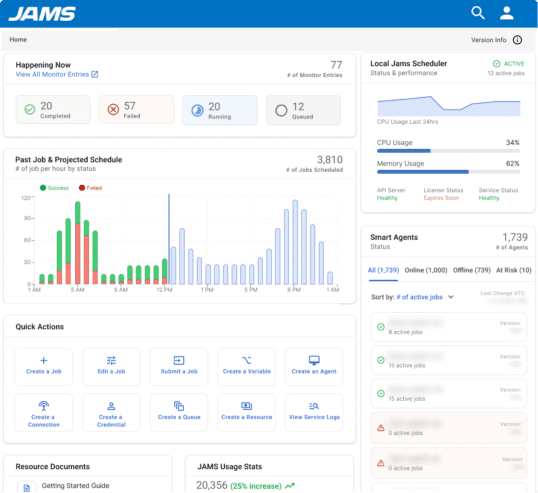
Critical enterprise scripts, often scattered across disparate servers, are difficult to maintain and monitor. JAMS centralizes PowerShell scripts (and many other jobs). JAMS automated PowerShell features provide:
Centralized control: Define and run every PowerShell script from a single platform, with real-time status visibility.
Event-driven automation: Automate job triggers to run based on file arrival, API calls, messages, or job completion events.
Proactive monitoring: Leverage alerts and auto-retries to facilitate rapid issue resolution and minimize manual intervention.
Robust compliance: Immutable logs and role-based access control for strong audit trails and secure operations.
Enhanced productivity: Streamline development and management with reusable script templates.
For setup details, see the JAMS PowerShell cmdlets reference.
PowerShell Integration
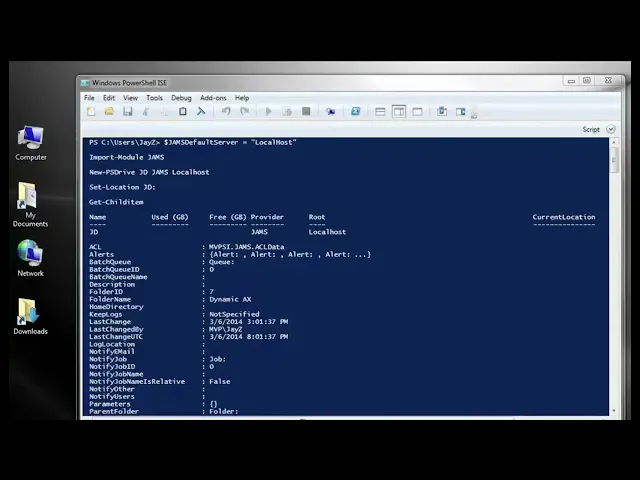
PowerShell is the scripting backbone of most Windows IT environments — and JAMS makes it easy to schedule, monitor, and manage PowerShell scripts as enterprise jobs. This short tutorial shows the JAMS PowerShell integration in action.
Create a JAMS job using the PowerShell execution method
Pass parameters into your PowerShell script at runtime
Capture script output and error codes in the JAMS log
Schedule the job and set up failure notifications
How JAMS Works
JAMS enterprise batch scheduling software ensures seamless operations through:
Unified Automation Deployment
Precise Job Execution
Robust Operational Control
Proactive Incident Management
Seamless System Integration
Accelerated Migration and Value
Why Leading Organizations Choose JAMS
Here is why businesses worldwide partner with us for enterprise job scheduling:
Our PowerShell scripting tools are rigorously tested and trusted by organizations that demand the best, including Raymond James, Coca-Cola Canada, and Teradata.
We consistently transform our users’ operations. G2 reviews highlight JAMS as a “game-changer,” streamlining complex processes and providing “true cross-platform automation.”
Our expert team is available 24/7 to assist you, ensuring your operations run smoothly and efficiently, whenever you need us.

What JAMS Brings to Your Organization
JAMS leverages PowerShell unlike any other job scheduling vendor due to the fact that JAMS is the only job scheduler engineered on the .NET framework. Here is how organizations benefit: